
Türkiye’s Cybersecurity Directorate Issues WhatsApp Warning: The Risk Is No Longer Just Data
The Cybersecurity Directorate of the Presidency of Türkiye has published an official warning that messaging accounts are being taken over without their owners’ knowledge and used for fraud. The warning was quickly viewed by more than 605,000 people — because it concerns everyone who owns a phone. The cost of such an attack is not just data loss: it is financial loss and reputational loss.
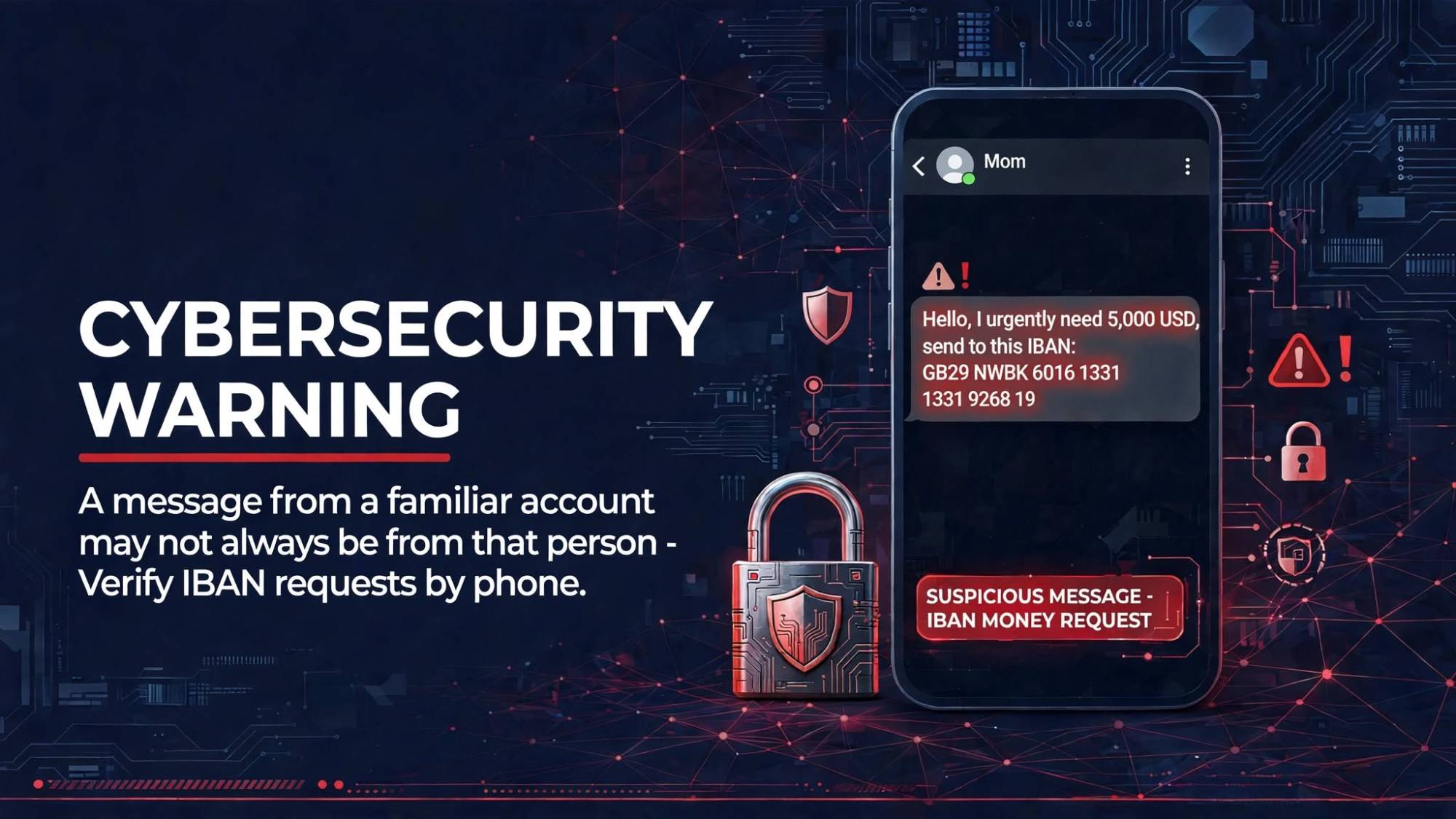
Cybersecurity is not just about data loss
Cybersecurity is usually discussed under the heading of “data breaches”. The scenario in this warning shows something else: when your account is hijacked, the first thing you lose is data — but the most expensive losses are money and reputation.
Data loss
Messages, contacts, photos and conversations with customers and suppliers end up in the attacker’s hands. This is usually where the classic cybersecurity story stops.
Financial loss
Urgent IBAN requests go out from the hijacked account to your family, employees or accounting team. Because the message really comes from your number, money is often transferred without a second thought.
Reputational loss
A fraudulent or abusive message sent in your name stays on the recipient’s phone. Winning back the trust of a customer, partner or employer is far harder than recovering the money.
Why does it concern everyone? The attacker uses your real number and your real account. For the recipient, the message came “from you”. The warning’s final sentence says exactly this: a message from the real account of someone you know may not always have been sent by that person.
Two technical findings that stand out
According to the Directorate’s technical investigation, these attacks can use malware targeting vulnerabilities in iPhones running outdated iOS versions. Infection routes include malicious ads, suspicious links and compromised websites.
Just viewing can be enough
In some advanced attacks, merely viewing malicious content can put a vulnerable device at risk. Not clicking is not enough on its own — the device must be up to date.
It may not show in Linked Devices
Unauthorized access does not always appear in WhatsApp’s “Linked Devices” list. Assuming “the list is empty, so I’m safe” can be misleading.
The Cybersecurity Directorate’s warning
Below is our English translation of the full warning published in Turkish on the Directorate’s official X account. This is an unofficial translation; the Turkish original is authoritative. Highlighted sentences are the two technical findings above.
⚠️ CYBERSECURITY WARNING
Recently, there has been an increase in complaints that citizens’ accounts on WhatsApp and similar messaging applications are being taken over without their knowledge and used for fraudulent activities.
Technical investigations conducted by our Directorate have found that malware targeting security vulnerabilities, particularly in iPhone devices running outdated versions of iOS, can be used in such attacks.
This malware can infect devices through malicious ads, suspicious links and compromised websites. In some advanced attacks, merely viewing malicious content may put device security at risk.
For your digital security:
- Update your device. iPhone users in particular should install the latest iOS version via Settings > General > Software Update.
- Stay away from suspicious links. Do not click on ads or links of unknown origin, and do not download files from untrusted websites.
- Strengthen your account security. Keep WhatsApp and your other apps up to date, enable two-step verification and check the Linked Devices section in WhatsApp. Remember that in some advanced attacks, unauthorized access may not appear in this section.
- Verify money requests. Even if they come from people you know, confirm IBAN and money transfer requests by calling the person by phone.
If you suspect your account has been compromised: inform your contacts, change your account passwords from a secure device, contact your bank, and apply to the competent authorities while preserving digital evidence. Reset your device and reinstall the latest software.
Remember! A message from the real account of someone you know may not always have been sent by that person.
Five steps you can take today
The practical side of the official advice. You can check your own phone and your family’s phones in a few minutes.
Update
Upgrade your phone’s operating system and WhatsApp to the latest version. The attacks in the warning specifically target outdated iOS versions.
Two-step verification
In WhatsApp, go to Settings → Account → Two-step verification and set your own PIN. Never share verification codes with anyone.
Linked devices
Check Settings → Linked devices regularly and log out of any session you don’t recognize. An empty list alone is not a guarantee.
Verify by phone
Even if it comes from someone you know, confirm any IBAN or money request by calling the person on their known number — by voice, not by message.
If it happens, keep evidence
Keep screenshots and the IBAN, warn your contacts through another channel, call your bank and report to the police or prosecutor’s office.
Individual caution is not enough: the ISO 27001 view
When an executive’s or an accountant’s account is hijacked, the damage hits the company’s bank account and brand. Every measure in the warning has a counterpart in ISO 27001:2022 Annex A; the difference is that they are not left to individuals but turned into written rules with clear owners that are audited.
Management of technical vulnerabilities
An outdated operating system on company phones is exactly the entry point described in the warning. Patch tracking belongs on management’s agenda, not only IT’s.
User endpoint devices
Executives’ and finance / purchasing staff’s personal phones carry company information too. Mobile device rules should be written down.
Authentication
Two-step verification and never sharing verification codes are the direct counterpart of the standard’s authentication controls.
Awareness and training
The idea that “a message from a familiar number may be fake” needs to be taught to employees regularly, not just once.
Information transfer
Verifying payment and IBAN change requests through a second channel should be defined as a written procedure.
Incident management and evidence
Who does what when an account is compromised, how evidence is preserved and who is informed should be decided in advance.
Frequently asked questions
Who issued this warning?+
Are only iPhone users at risk?+
Does opening any message mean my phone will be hacked?+
If I see nothing under Linked Devices, am I safe?+
What does this have to do with ISO 27001?+
Let’s assess your company’s messaging and mobile device risks
Let’s put payment verification, mobile device rules and incident response in writing within an ISO 27001 framework. Start with a free preliminary assessment.
Siteye eklediğim yeni sayfaları ve bilgilendirmeleri e-posta ile paylaşıyorum. Dilediğiniz an tek tıkla ayrılabilirsiniz.
